farba presents

ReDNS66

Fight distractions or just want to block YouTube ads?
Experience the internet, clean and fast.

Why choose ReDNS66?

📺

Block YouTube Ads (90%)

Watch your videos without interruptions.

🚫

Block Popups & Malware

Say goodbye to annoying pop-ups and malicious websites.

📦

Only 4 MegaBytes

Lightweight, fast, and won't slow down your phone.

🔀

Social Media Switch

Turn social media ON or OFF with one click.

🛡️

Block Chinese Trackers

Achieve Enhanced Privacy with one click.

How to use

1

Installation

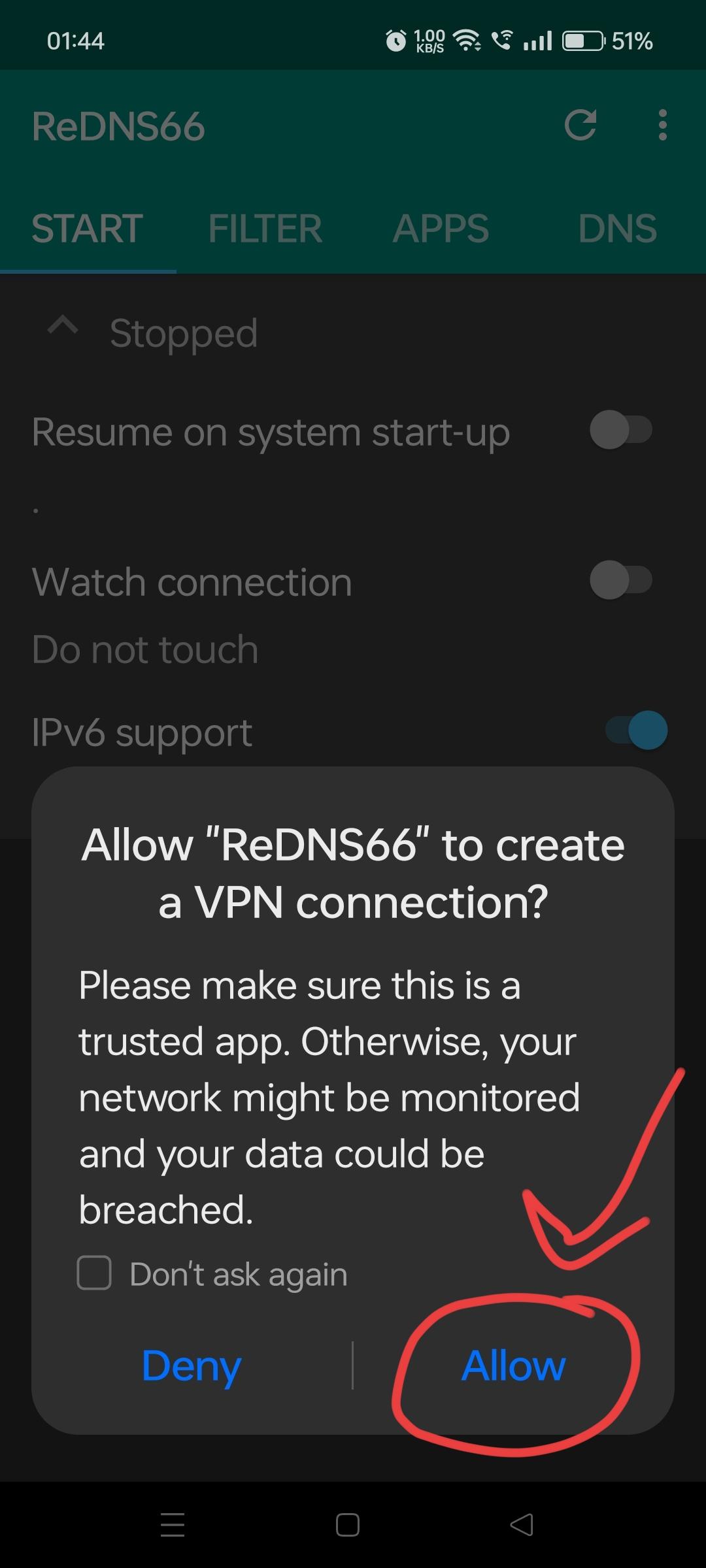
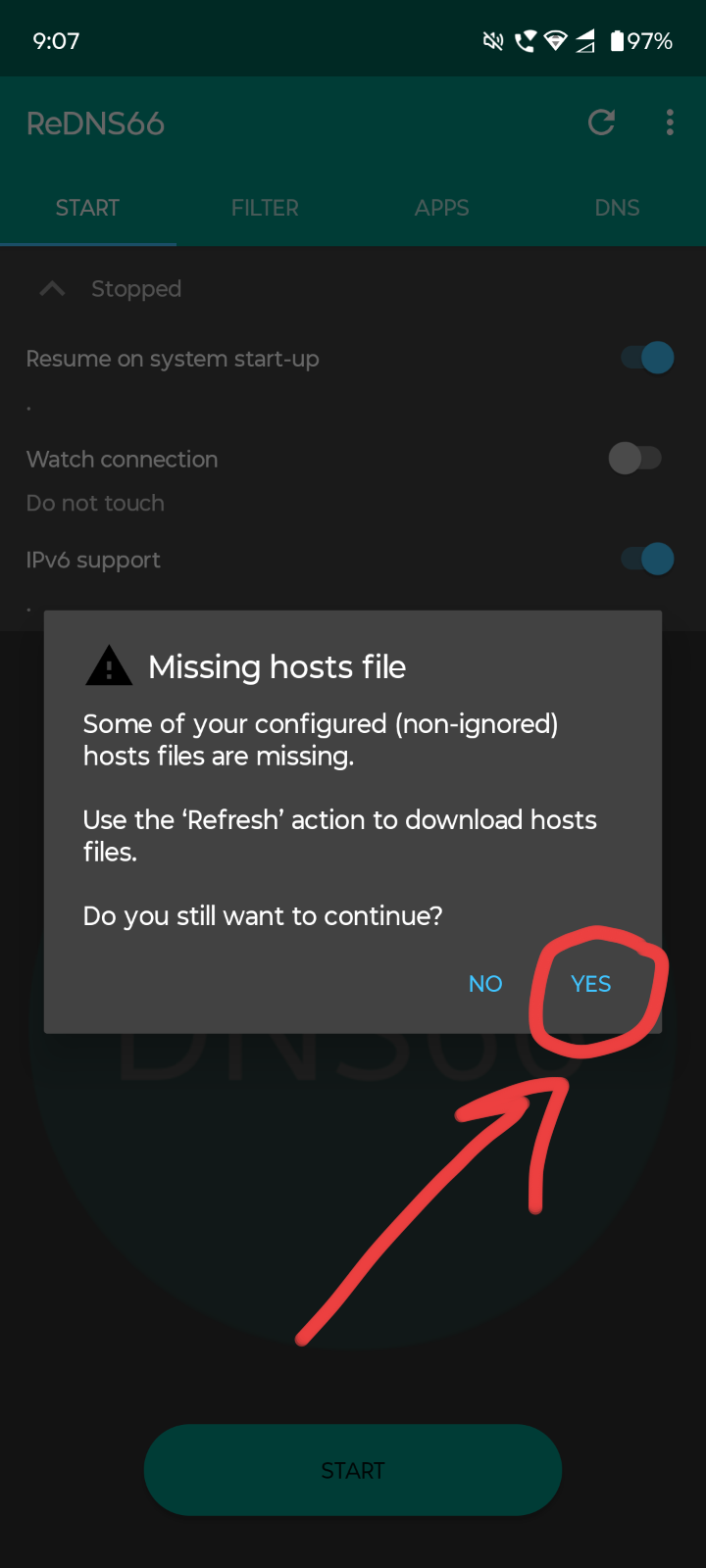
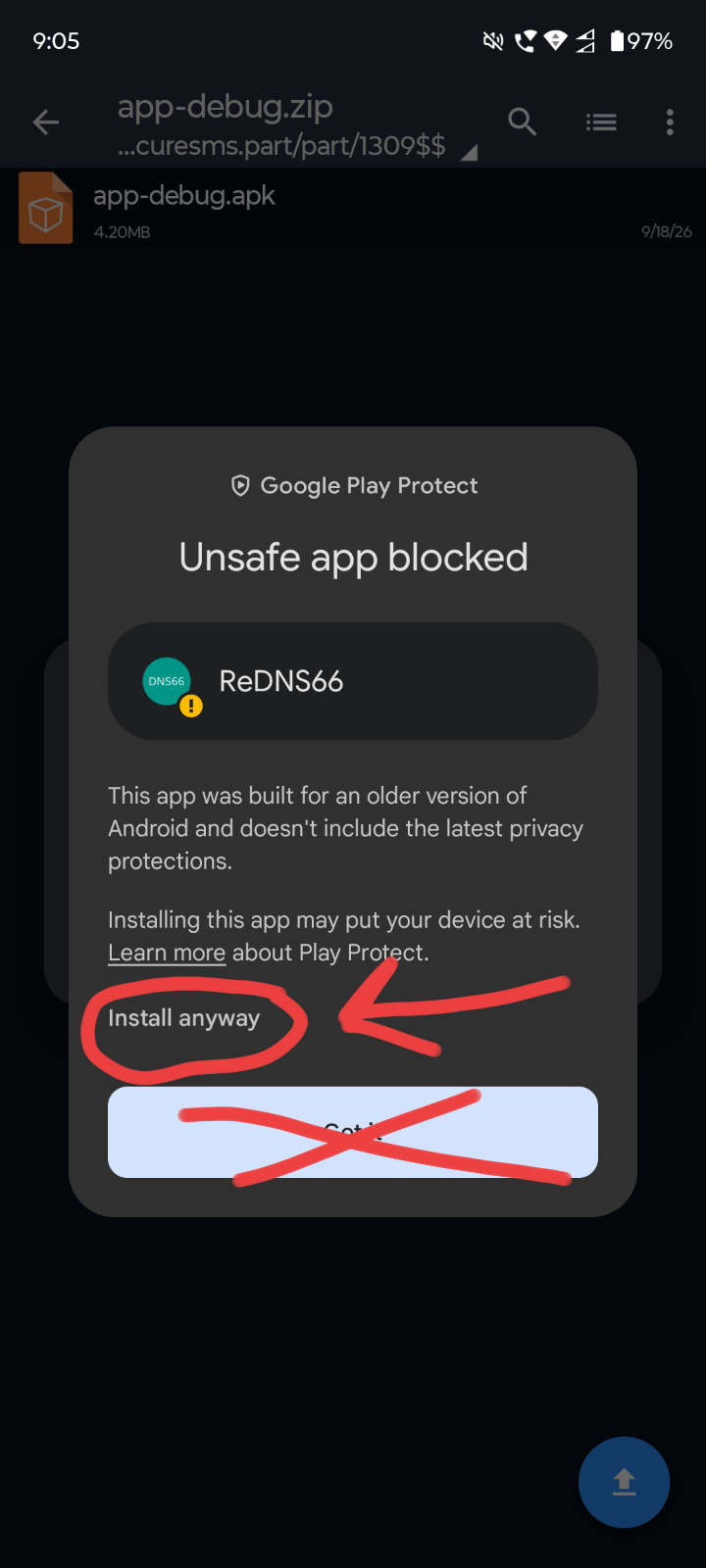
After installing the app, simply keep clicking Yes or OK on the permission prompts.
2

Start Blocking

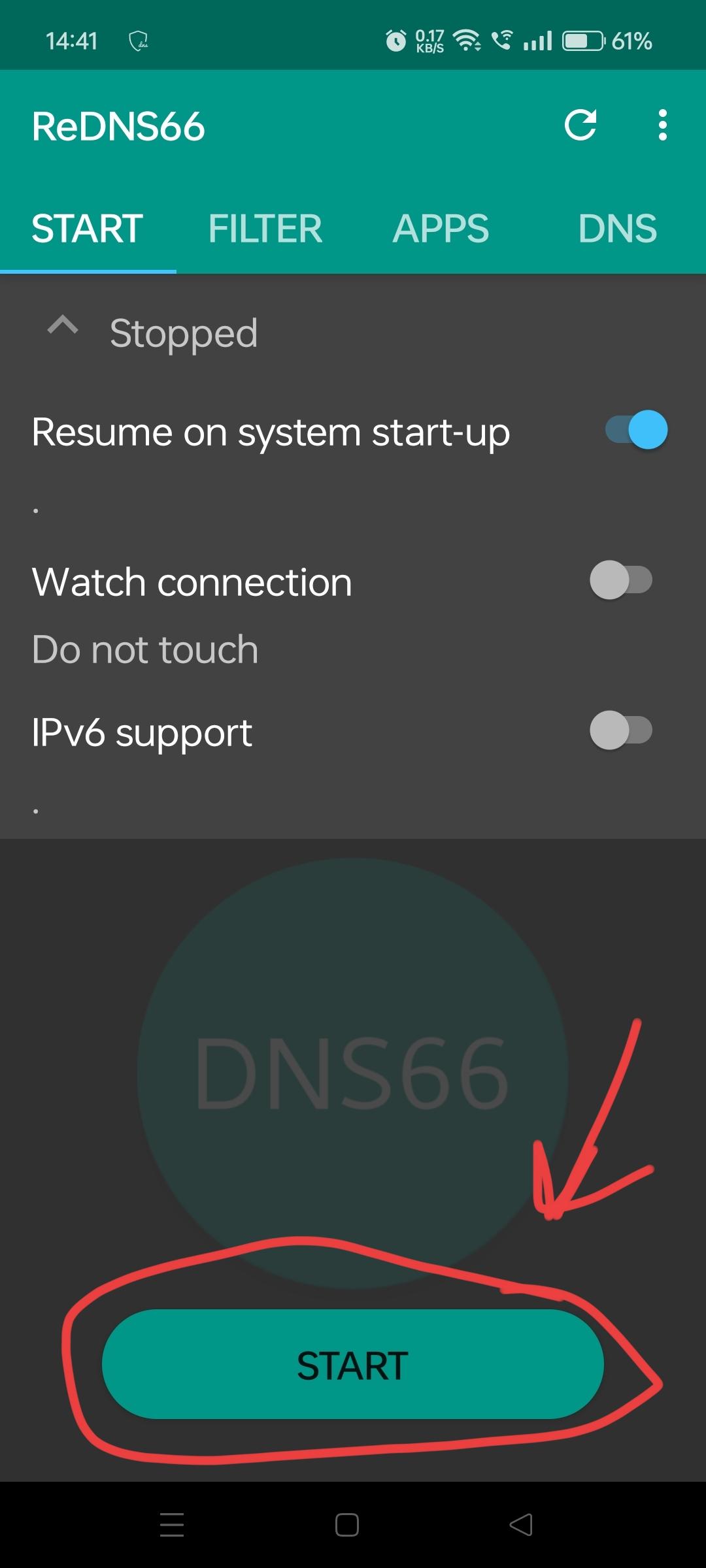
You will see a big Start-Stop button on the start tab. Tap it to activate the shield.
3

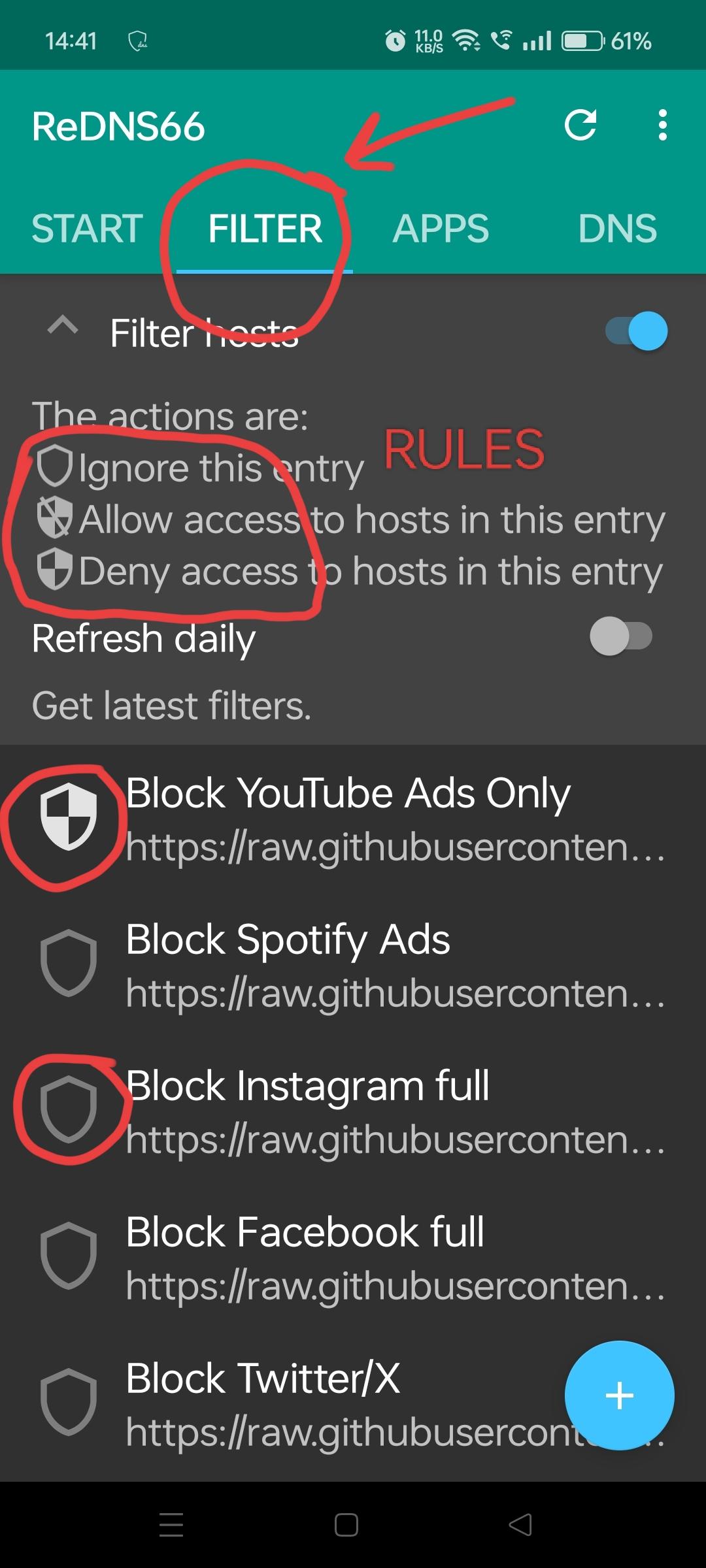
Customize Filters

Click the Shield Button to toggle individual filters ON or OFF based on your needs.
What are you waiting for?

Join thousands of users browsing safely today.

Download ReDNS66

Android App • 4MB • Free

Frequently Asked Questions

Is ReDNS66 free?

Yes, ReDNS66 is completely free to use.

Does it block all YouTube ads?

It blocks approximately 90% of YouTube ads and prevents most video interruptions.

Is ReDNS66 safe?

Yes, ReDNS66 is safe to use. We are transparent. You can find the code behind it at: Codeberg

Does ReDNS66 drain battery?

ReDNS66 is a very small app (4MB) having negligible battery consumption. In fact, blocking ads and trackers may increase your battery life, and surely save your internet.

Why does ReDNS66 keeps stopping?

Make sure to give it notification permission.

Does it require root access?

No, ReDNS66 works without root access on your Android device.